KB Article #176389
How to disable a specific listener in Traffic Monitor
Problem
How can a specific path like /healthcheck be disabled so that it is not monitored or recorded in the Traffic Monitor without disabling the API itself or moving it to another port?
Resolution
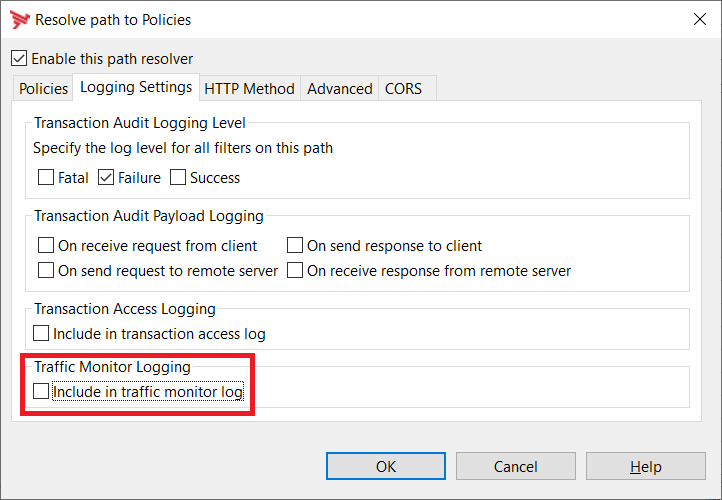
While this was not available in the past, in current versions of API Gateway, you can navigate to the path for the service, open the Logging Settings tab there, then uncheck the box labeled Include in traffic monitor log to remove a path from showing up in Traffic Monitor as shown in the screenshot below:
Further reading can be found in the documentation on path settings.