KB Article #177965
Strip a part of file name
Rename incoming files and strip a part of the file name using regular expression.
Resolution
To rename a file and to replace a part of the file name which e.g. is processed with SSH Transfer Site and Subscription to Basic application, the following regular expression could be used:
Source file name: Test_1234_ YYYYMMDDHHNN_ABC123456789_File.txt
Result file name: Test_1234_File.txt
Used Regular Expression:
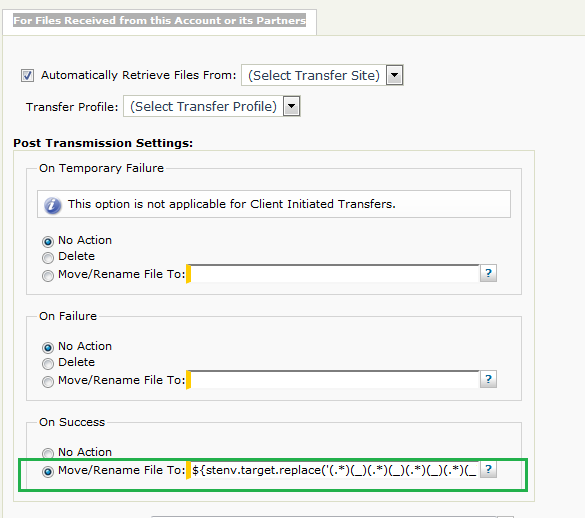
${stenv.target.replace('(.*)(_)(.*)(_)(.*)(_)(.*)(_)(.*)\\.(.*)', '$1$2$3$4$9.$10')}
The regular expression above should be put in the Subscription, under the For Files Received from this Account or its Partners section, in the Post Transmission Settings -> On SuccessMove/Rename File To field, as shown on the image below.