KB Article #178055
Error “Package manager storage folder not initialized!"
Problem
If the AdHoc settings are not configured when a user tries to log in using the Web Access Plus or the ST Web Client template, an error is logged in the server log as shown on the screenshot below:
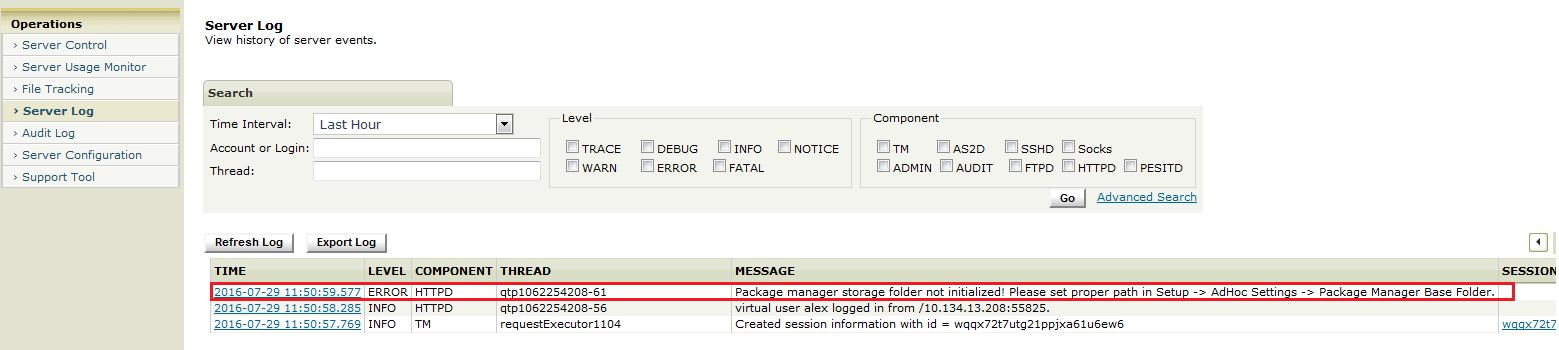
Package manager storage folder not initialized! Please set proper path in Setup -> AdHoc Settings -> Package Manager Base Folder.
Resolution
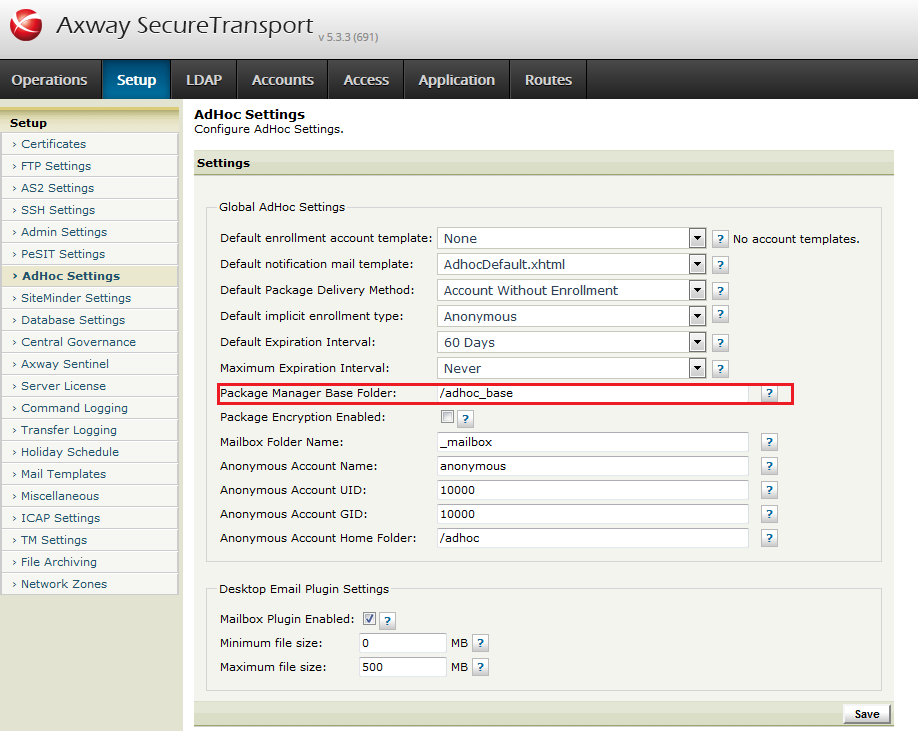
In order to correct the errors, navigate to Setup > AdHoc Settings and set a valid full system path for the "Package Manager Base Folder" field. For example: