KB Article #178149
UUencoded attachments are scrambled and not displayed properly
Problem
When UNIX systems are set to send emails to MailGate with attachments that are UUencoded (binary-to-text encoded data), they will sometimes not be displayed properly as an attachment and appear as scrambled text in the body instead, like so:
begin 664 DOC_BLIB_O_EM.0021EG.000421863.2.txt
M1V5N97)A=&5D(&9R;VT@0DQ)0B!A:68@1$]#7T),24)?3U]%32XP,#(Q14<N
M,#`P-#(Q.#8S+C(@;VX@,3$R.3(R,C(Z#0H-"BHJ*B!&:6QE($AE861E<B!)
M;F9O<FUA=&EO;B`J*BH-"@T*141)(%!A<G1N97(@0V]D93H@("`@("`@("`@
Resolution
The attachment needs to be converted to a message attachment and in order to do so, MailGate needs to have an enabled (inbound and/or outbound) policy to do this conversion.
Please follow the steps below:
1. Log in to the Admin UI and navigate to Content Policies
2. Select the mail direction you need a policy for (inbound / outbound) and create a new filter policy
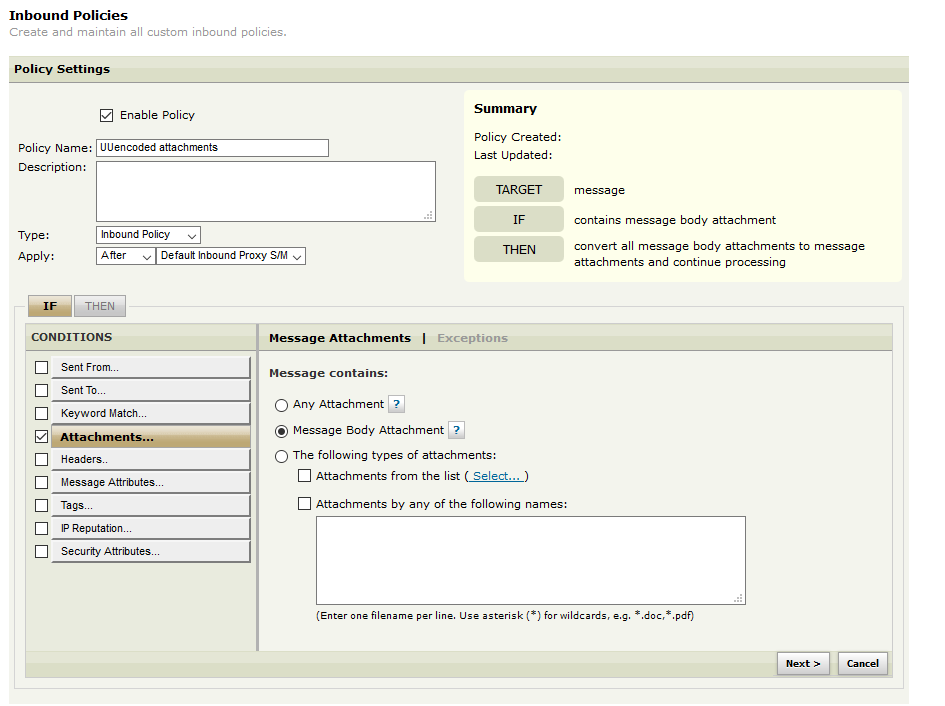
3. Under IF tab, select Attachments and then choose Message Body Attachment option:
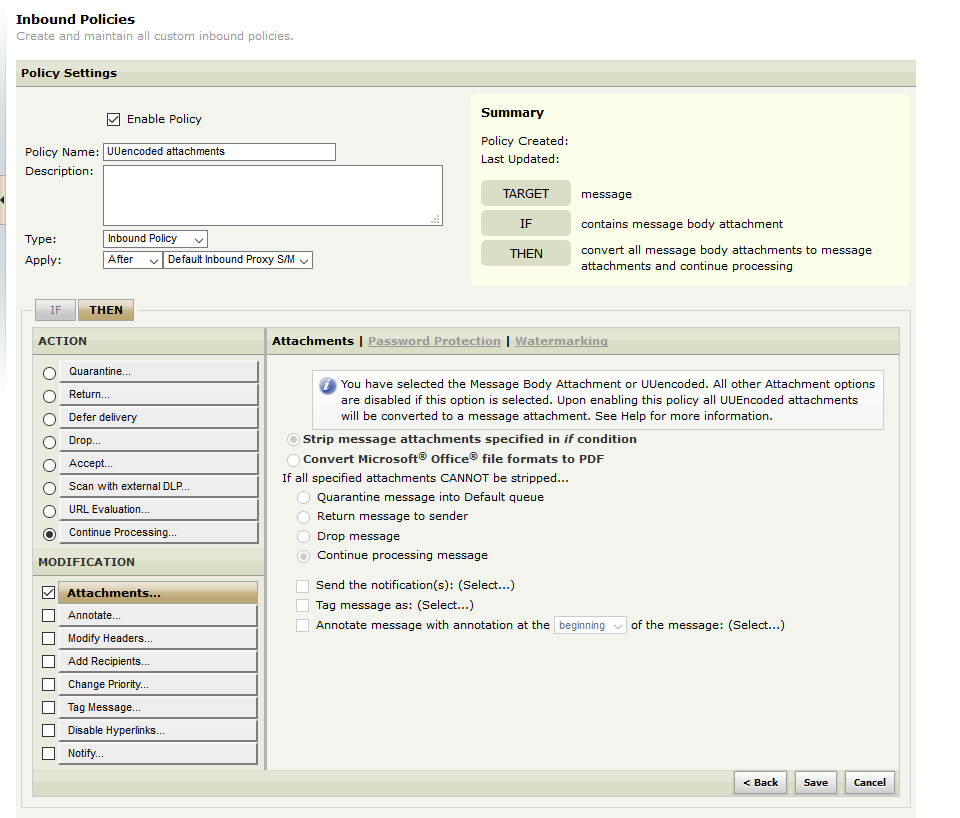
4. Click Next and select Continue Processing and then under MODIFICATION section, select Attachments. Since Message Body Attachment is selected in step #3, MailGate will automatically select the action to convert the UUencoded attachment to message attachment and the following message will be displayed on screen:
You have selected the Message Body Attachment or UUencoded. All other
Attachment options are disabled if this option is selected. Upon
enabling this policy all UUEncoded attachments will be converted to a
message attachment. See Help for more information.
5. Click Save and enable the policy.