KB Article #178182
Unable to open mail item
Problem
MailGate Secure Collaboration Add-in (vers. 2.0/2.1) for Outlook, especially Office 365 deployments, in some cases may not allow secure mail items to be opened and will post the following error:
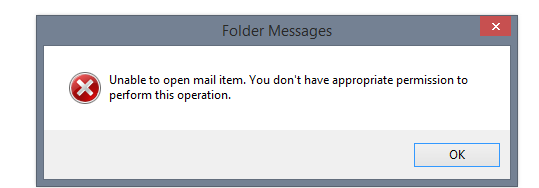
"Unable to open mail item. You don't have appropriate permission to perform this operation."
Resolution
This is due to a security policy in Windows which does not allow users to load content from .pst files in Outlook, such as SMStore.pst or DZStore.pst, used by the Add-in.
To be able to use the plugin with Outlook, you need to change the policy by following the steps below:
1. Open Registry Editor
Run > Command Prompt > Type "regedit"
2. Serious problems might occur if you modify the registry incorrectly. Before you modify it, back up the registry for restoration in case problems occur.
3. Locate, and then click the following registry subkey:
HKEY_CURRENT_USER\Software\Policies\Microsoft\Office\<x>.0\Outlook\PST
Note: The <x>.0 placeholder represents the version of Outlook: for example, 15.0 is Outlook 2013, 14.0 is Outlook 2010, and 12.0 is Outlook 2007.
4. Find the following registry:
PSTDisableGrow
5. Edit the value of the registry and set it to 0, then save.
6. Restart Outlook.
More information available at: https://support.microsoft.com/en-us/kb/3058474