KB Article #178644
Not able to open console in IDRAC6 after upgrade the localy installed Java to version 8 (Java 8uXYZ)
Problem
After an upgrade of the locally installed Java (JRE) to version 8, the Virtual Console in IDRAC6 can not be launched anymore.
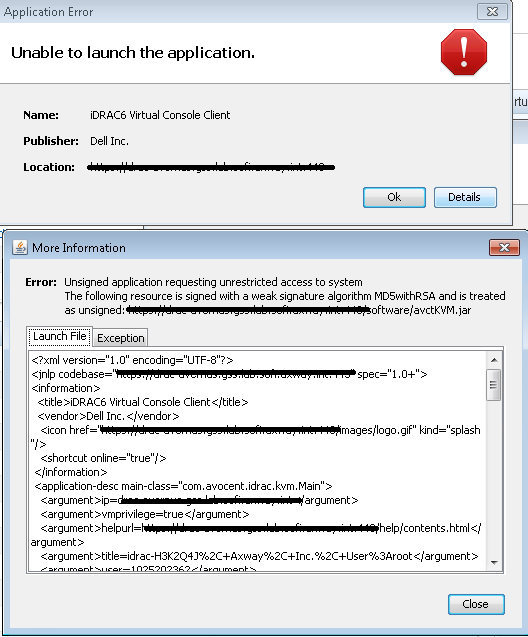
If you receive an error "Unable to to launch the application" when you try to open the console from the IDRAC, click on the Details button and look for the error:
The following resource is signed with a weak signature algorithm MD5withRSA and is treated as unsigned
Resolution
Starting with Java 8, Oracle JRE no longer trusts MD5-signed certificates by default. By editing the java.security file on your local machine you can work around this issue and open the Virtual Console in IDRAC6 while using Java 8 on your computer. Follow the steps below to make the necessary changes:
1. Open the <JAVA_HOME>\lib\security folder, where <JAVA_HOME> is the installation folder of the Java RE specified during the installation. Example: C:\Program Files\Java\jre1.8.0_131\lib\security
2. Create a backup of the java.security file
3. Open the java.security file using a text editor
4. Find the line with jdk.jar.disabledAlgorithms and remove MD5 from the list. It should look like this:
jdk.jar.disabledAlgorithms=MD2, RSA keySize < 1024
5. Save the file and open the Virtual Console from the IDRAC