KB Article #179919
Add a custom label to the header in the B2Bi UI
Problem
-- How to distinguish between a prod and test environment?
Resolution
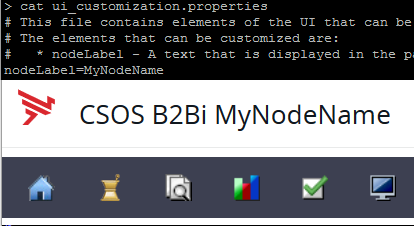
With B2Bi 2.4.0 a new configuration file was introduced. In this file one can configure the label one wants to give a node.
- Edit the file [B2Bi installDir]/Axway/Interchange/conf/ui_customization.properties
- On the bottom add the line:
nodeLabel=MyNodeName - Save and exit
- Repeat this step on every node of the cluster
After logging into the UI (you need to logout if you were already logged in), the header that usually says "B2Bi" or "CSOS B2Bi" (depending on your license) will now display "B2Bi MyNodeName" or "CSOS B2Bi MyNodeName".