KB Article #180715
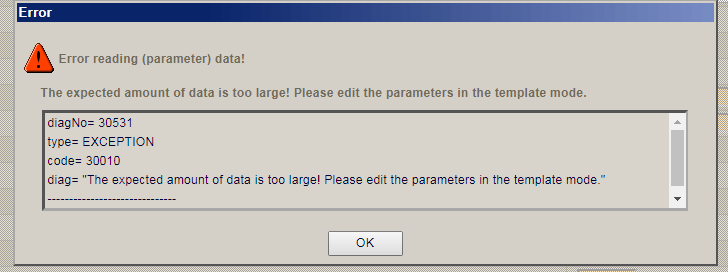
GUI Error: "The expected amount of data is too large! Please edit the parameters in the template mode."
Problem
In the GUI, when trying to edit large configuration files using Text Mode, the following error can appear:
Resolution
The error appears because the file which you are trying to edit has more lines than the threshold defined in
Configuration > Base Data > Default Settings > amg.lib.poa.text_edit_max_data_allowed parameter
You should change the above parameter value to a higher number so it can accommodate the file you are trying to view/edit
The default range for this parameter is from 0 to 10000 , as defined in the database:

If needed, the range for this parameter can be extended by updating the record directly in the database:

Note: The above statement was for a Derby Database, for other types of Database the statement may differ. If you are uncertain of the correct syntax to use, please consult your Database Administrator.
Afterwards you should be able to further increase the value of the Configuration > Base Data > Default Settings > amg.lib.poa.text_edit_max_data_allowed parameter
An alternative to the above could be to update the file using Template Mode instead of Text Editor
If the above methods are not applicable or you require further clarifications/assistance, please contact Axway Global Support