KB Article #186600
How to update partner certificates through API in B2Bi
Problem
How to update partner certificates through API in B2Bi
Resolution
1. Find Partner ID, based on the partner name
You can get the partner ID using the following ways:
a> https://<b2bi server host>:6443/rest/v1/tradingPartners?filter=partyName%3D'<partner_name>'&limit=10&offset=0&orderBy=partyName

b> curl --user "username:password" -k -X 'GET' -k 'https://<b2bi server host>:6443/api/v1/tradingPartners?filter=partyName%3D'\''partner_name'\''&limit=10&offset=0&orderBy=partyName' -H 'accept: application/json'

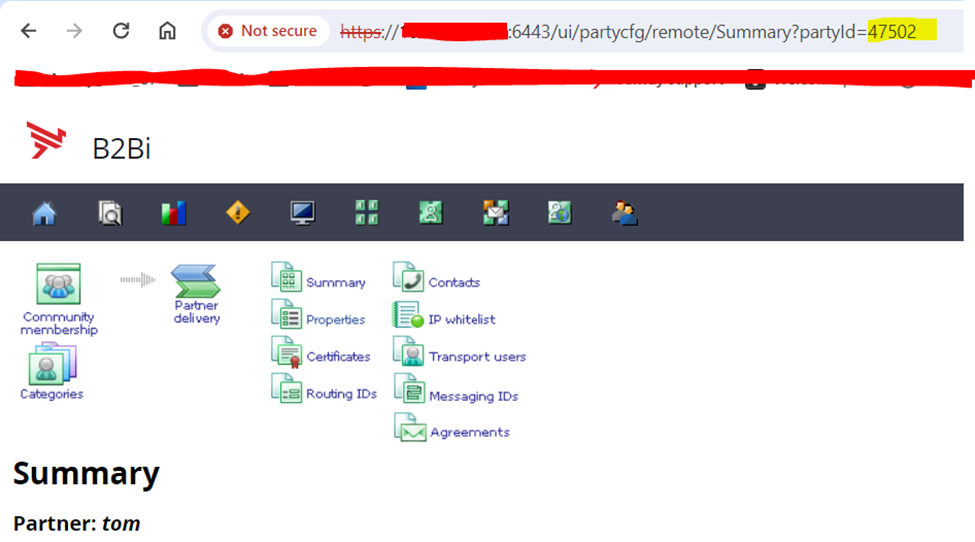
c> Go to UI page -> Click on the partner's name -> check the id mentioned in end of the URL (its a partner ID).
2. Import certificate for the partner.
- The REST API to import a certificate is not available through SWAGGER. More information around the API can be found here in the standard documentation:
https://<b2bi server host>
- This REST API doesn't take a JSON structure for import, but an actual certificate file (transferred as an application/octet-stream content type).
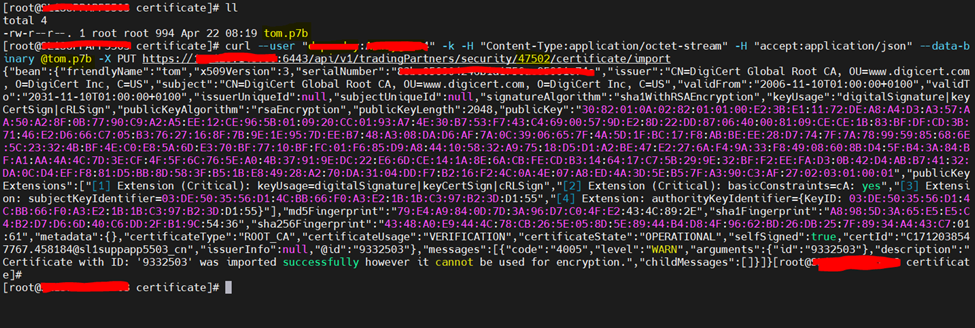
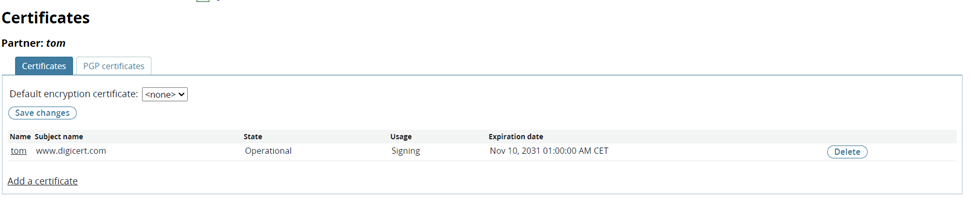
- Place the required certificate at any path on your B2Bi machine and run the below curl command from that path:
curl --user "username:password" -k -H "Content-Type:application/octet-stream" -H "accept:application/json" --data-binary @<certificate_name> -X PUT https://<b2bi server host>:6443/api/v1/tradingPartners/security/<partner_id>/certificate/import