KB Article #195100
Removing compromised CA Certificates from SecureTransport - (eMudhra incident)
Overview
This article describes how to remove a distrusted CA certificate from the SecureTransport (ST) Trusted CA Certificates in the Admin UI. Alternatively, use the Admin REST API to automate the removal across multiple servers.
Problem
ST includes a default set of trusted root CA certificates. ST validates server certificates in outbound TLS connections and client certificates in certificate-based authentication against this set. When the browser root programs announce a compromised root or intermediate CA certificate, it must be removed from the ST Trusted CA Certificates.
Case study: eMudhra
On October 18, 2026, a security researcher reported that eight eMudhra Global TLS intermediate CAs had cryptographically weak keys. eMudhra revoked all eight on October 19, and the browser root programs distrusted the eMudhra ECC root above them. No certificates were issued from these intermediates. [eMudhra statement]
Solution
Remove the following affected eMudhra (emSign) root certificates from ST:
CN=AAA Certificate Services, O=Comodo CA Limited, L=Salford, ST=Greater Manchester, C=GB(eMudhra Inc)CN=emSign ECC Root CA - G3(eMudhra Technologies Limited)CN=emSign Root CA - C1(eMudhra Inc)CN=emSign ECC Root CA - C3(eMudhra Inc)CN=emSign Root CA - G1(eMudhra Inc)
The status of CN=emSign Root CA - G1 (eMudhra Technologies Limited) is not confirmed. Check the eMudhra statement for updates. Remove it unless eMudhra confirms that it remains trusted.
If you have imported other eMudhra intermediary certificates as trusted, be sure to remove them unless they are confirmed officially as not compromised.
The steps below use the eMudhra case study. For another CA, replace emudhra and emSign with the name of that CA.
A server may have some, all, or none of these certificates. The certificates are stored in the database: remove them once per environment. In a cluster, verify the result from another node.
Do not edit or delete anything in the truststore or under lib/certs on the server. Remove the certificates only through the Admin UI or the Admin REST API.
Remove the certificates in the Admin UI
Log in to the Admin UI at https://<server>:<admin port>. The admin port is the Admin.Port value in <FILEDRIVEHOME>/conf/admin.properties.
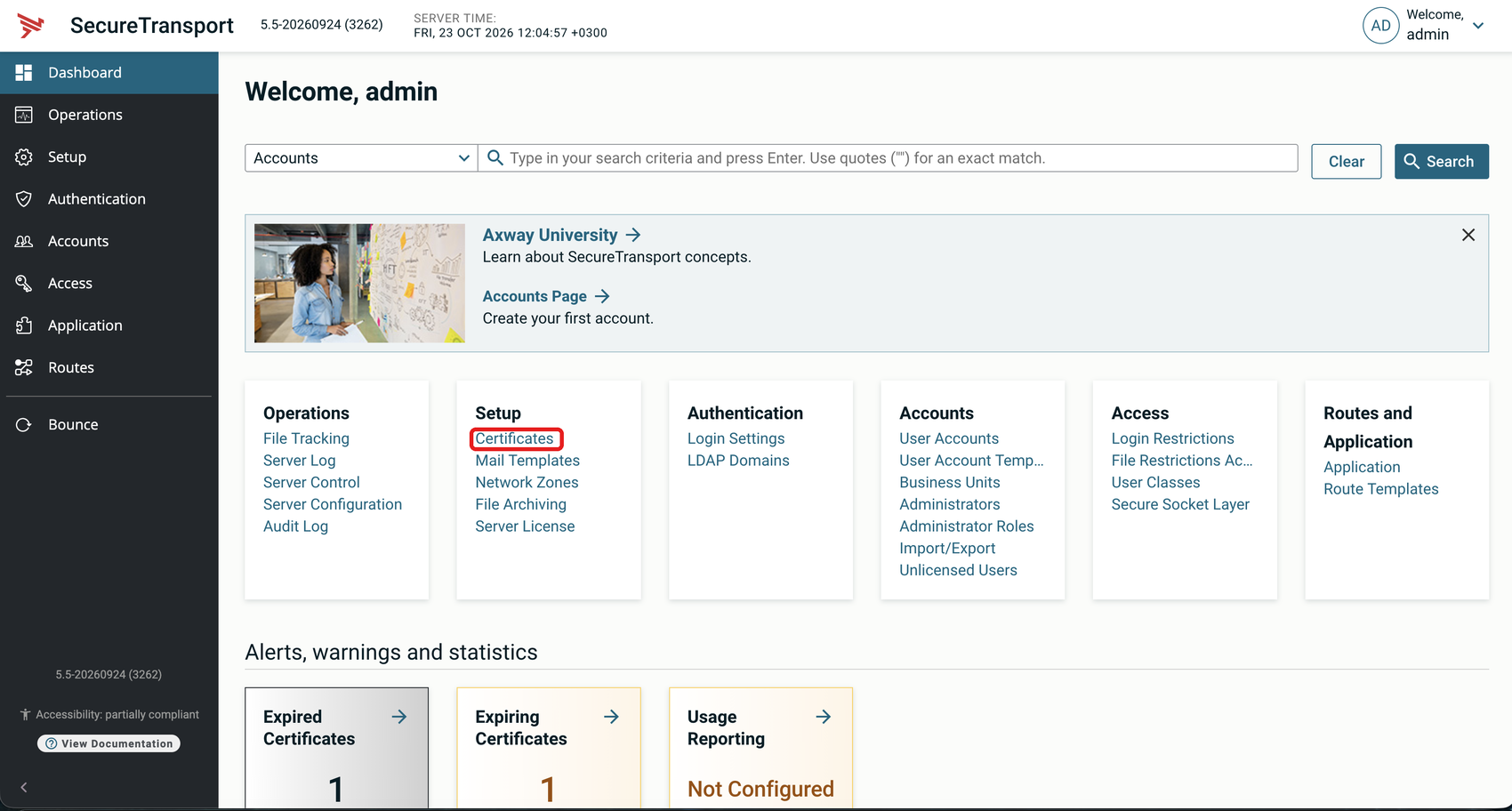
Go to Setup → Certificates.
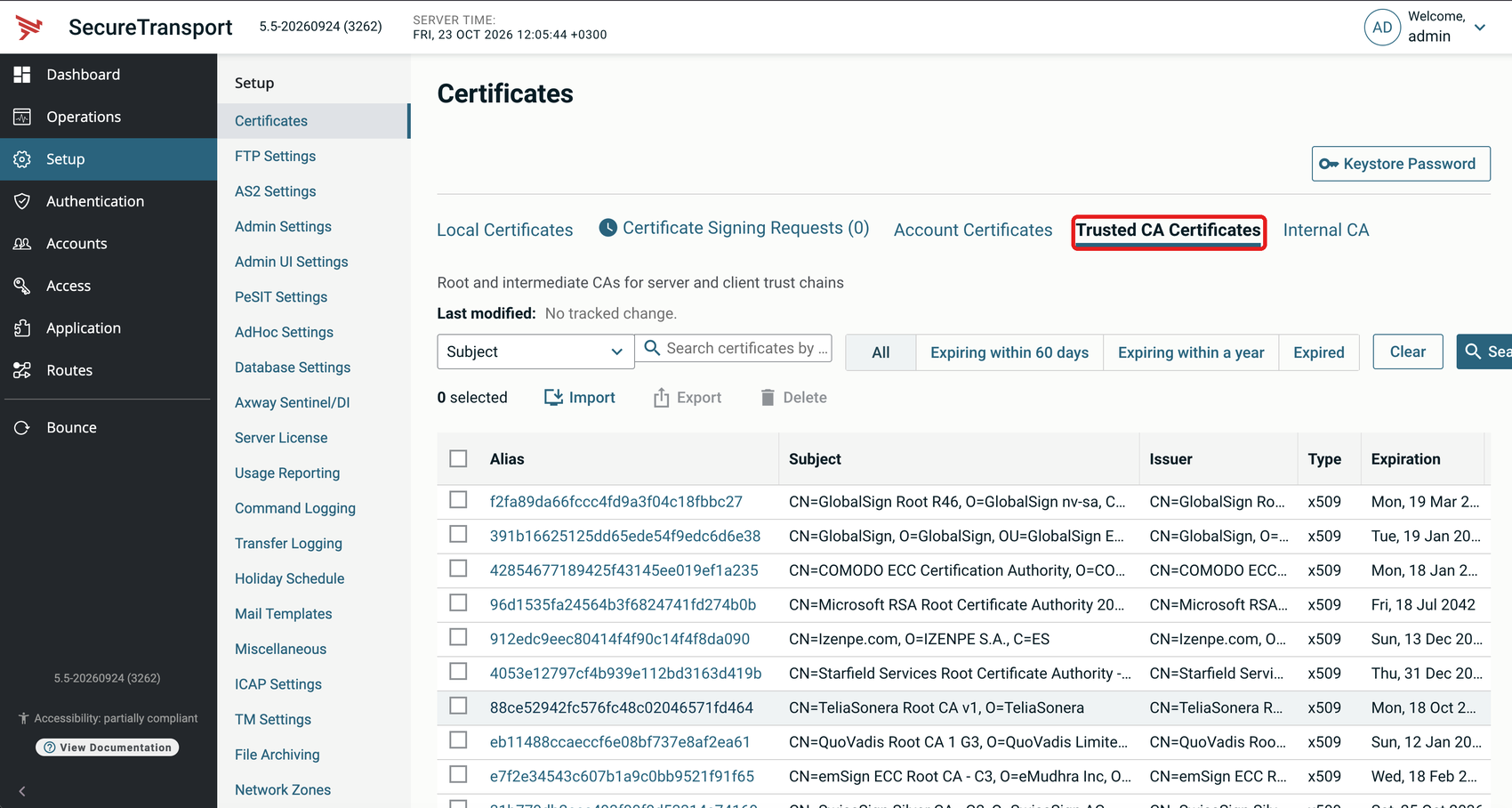
Open the Trusted CA Certificates tab.
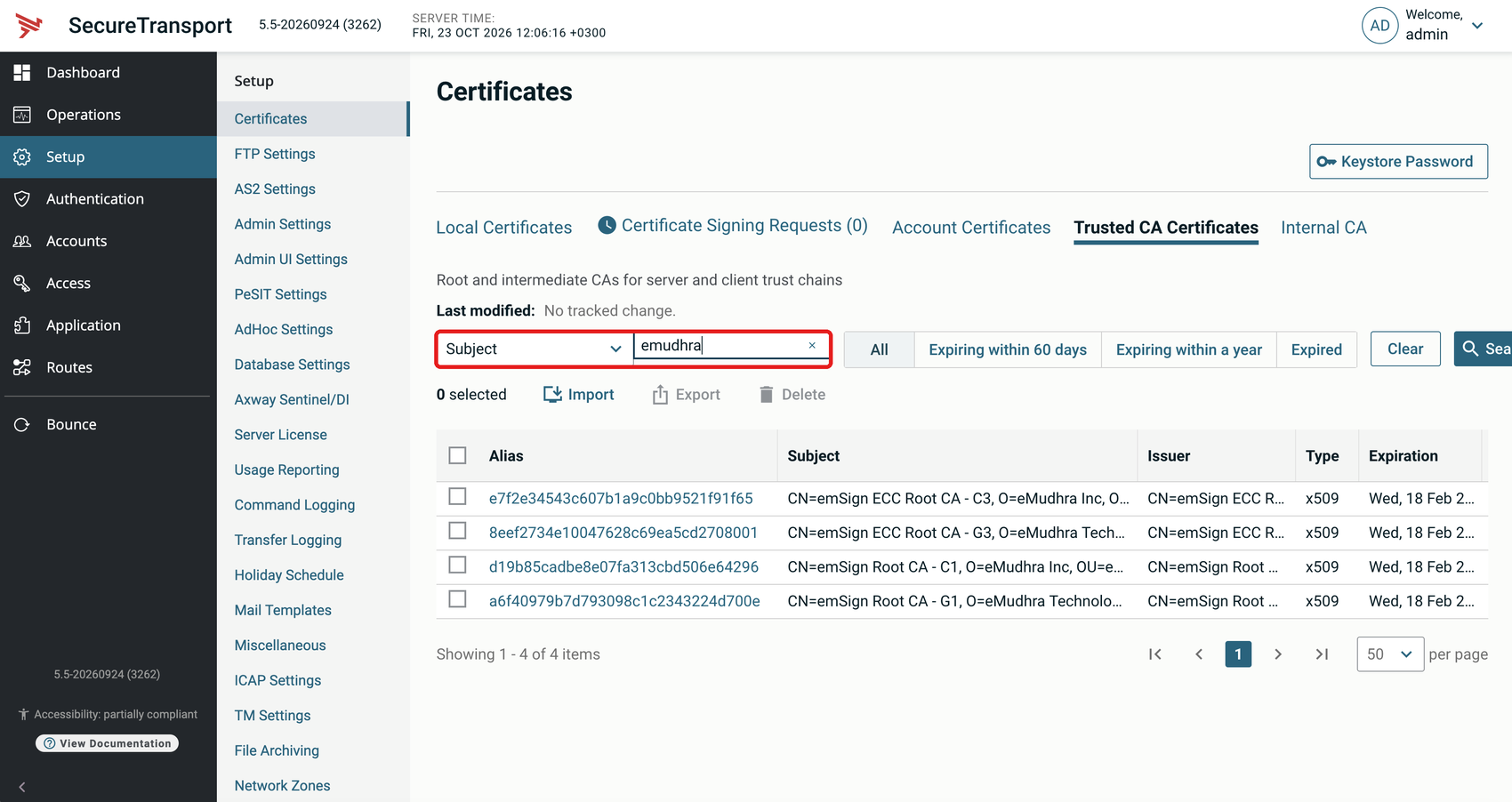
In the search dropdown, select Subject, enter emudhra and click Search.
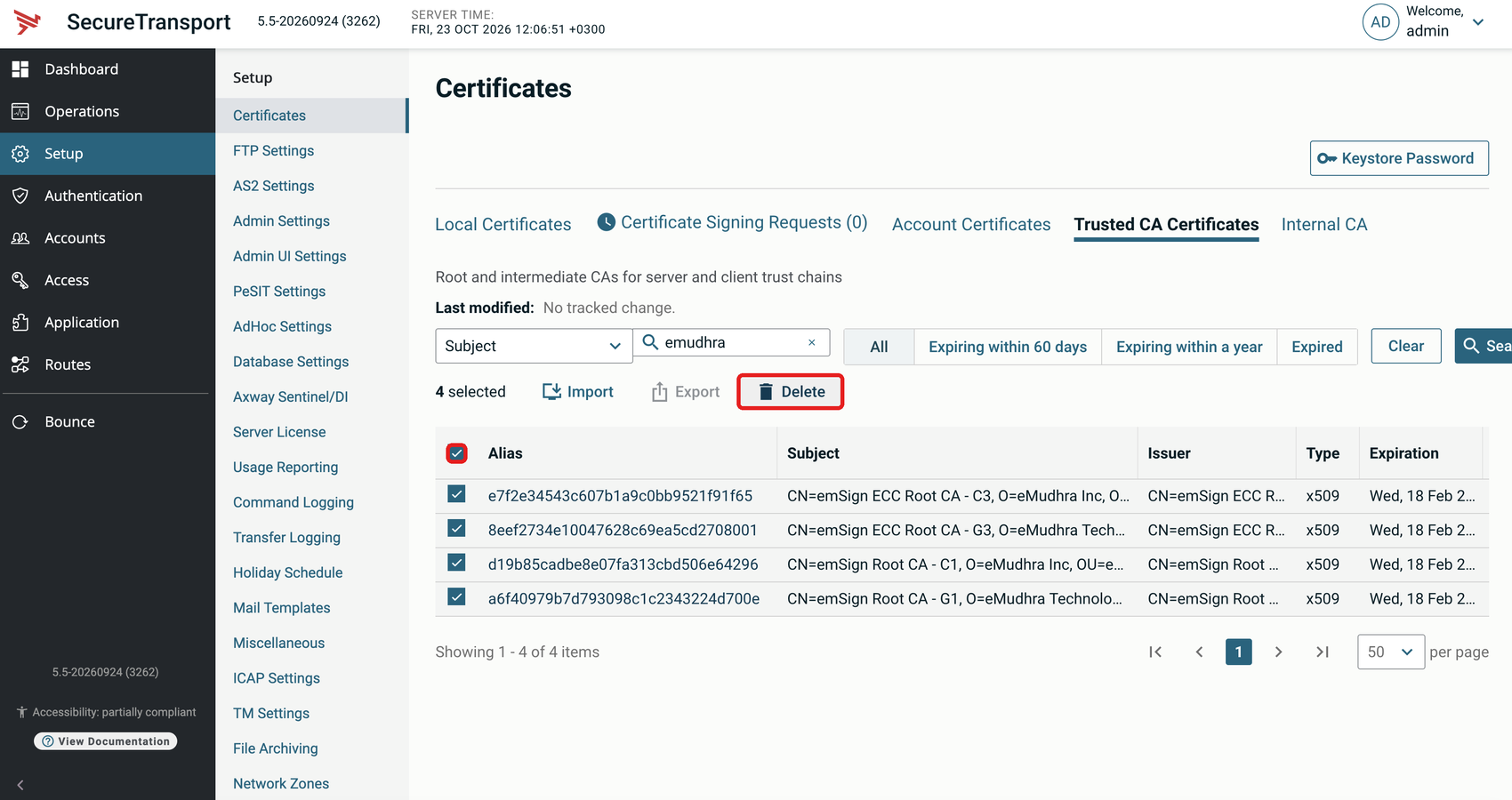
Select the emSign certificates, click Delete and confirm.
Do not select an eMudhra certificate that is not in the emSign list above.
Search for emudhra by Subject again. The search returns no results. If you kept CN=emSign Root CA - G1, it is the only result.
Remove the certificates with the Admin REST API
List the certificates:
<code>curl -k -u <adminUser>:<adminPassword> "https://localhost:<admin port>/api/v2.0/certificates?fields=id%2Cname%2Csubject&type=x509&usage=trusted&subject=%2Aemudhra%2A&isExternal=false"</code>
Delete each certificate by its id:
<code>curl -k -u <adminUser>:<adminPassword> -X DELETE "https://localhost:<admin port>/api/v2.0/certificates/<id>"</code>
Run the list command again. It returns no results. If you kept CN=emSign Root CA - G1, it is the only result.