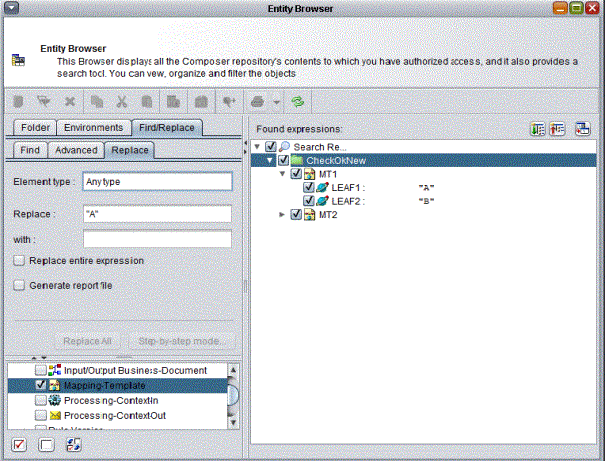
Note: In the current version of Axway Composer, AccountingIntegrator is the only product that uses this feature.
After you complete the required search criteria on the Find tab of the Entity Browser, the right pane displays the list of objects that correspond to the specified criteria.
Use the Replace function to replace a given value in all objects that you select in the right pane.
The Replace function is specific to each Axway product and is only available if you select a single object type specific to a single product. For example, a search on the object type Business-Document could return a list of Business-Documents that belong to different products (AccountingIntegrator, ProcessManager, Integrator). The Replace tab is only displayed if the Business-Documents all belong to the same Axway product.
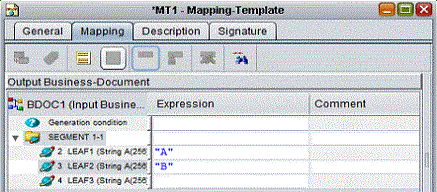
The following example involves replacing field values in the following two AccountingIntegrator Mapping-Templates.
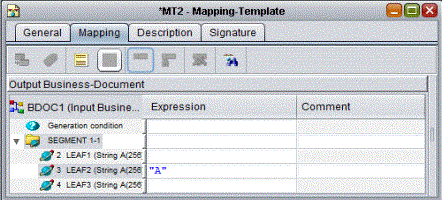
To replace the value of LEAF2:
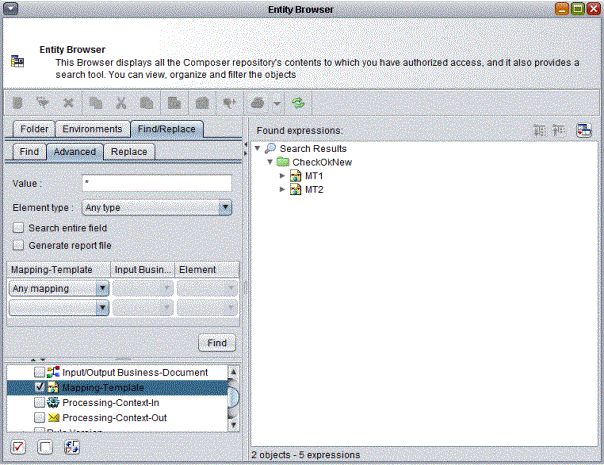
The In pane displays all objects that contain the value that you want to replace. Select the objects where you want to replace the value.