KB Article #186540
HOWTO: Generate a Usage Report for a year
Problem
I need information on generating a Usage Report for one year.
Resolution
1. Navigate to the Setup → Server License page in the Admin UI.
2. In the Usage Report section, select the last option of the drop-down menu - "Specific Date Rage...". Once selected you will see calendar, where you can choose the period (e.g. From: 04/01/2023 To: 04/01/2024).
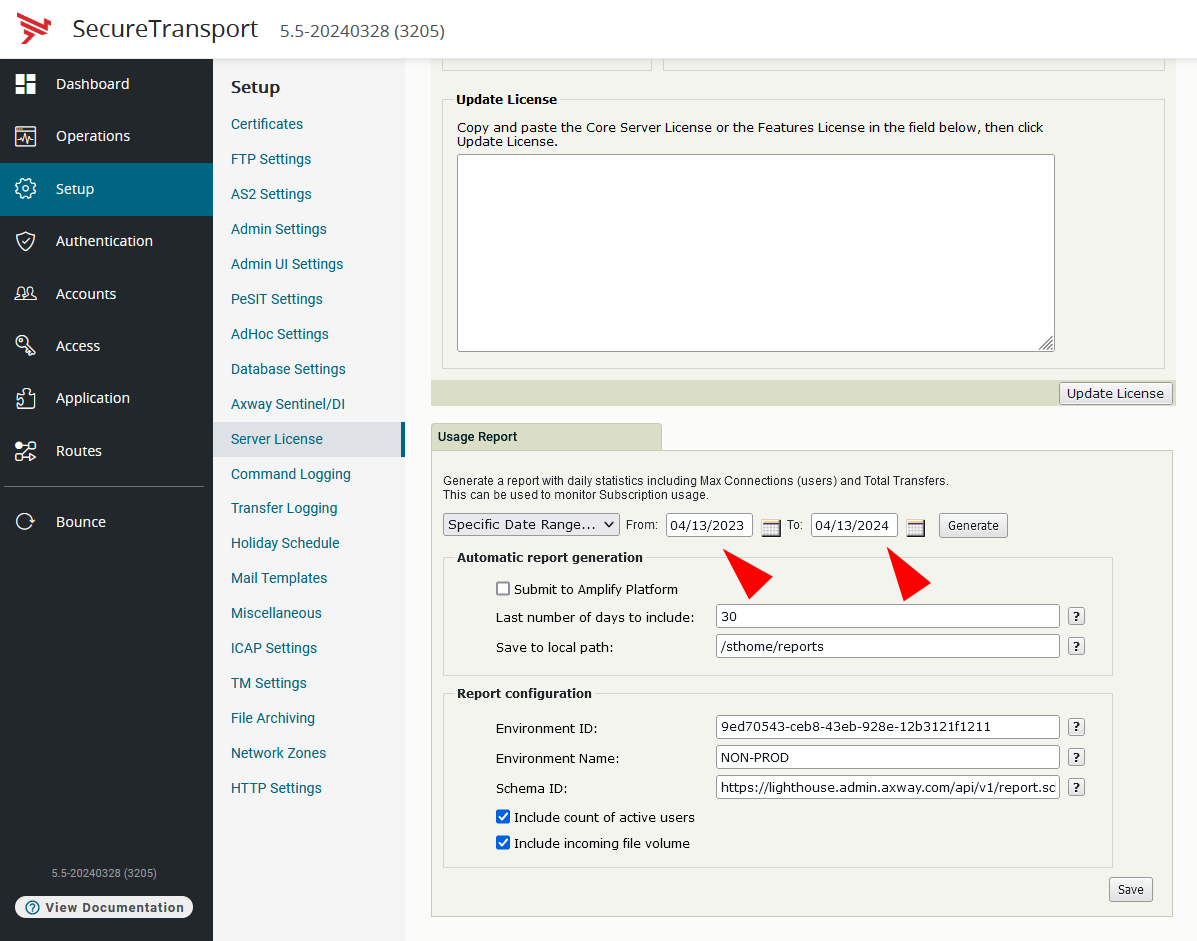
3. After clicking the Generate button the Admin UI will provide withe a .json file containing the usage report for that period, which can be uploaded to the Amplify Platform.
Before generating the report you need to populate the Report configuration details, such as Environment ID and Environment Name. Simplified instructions on creating account and environment configurations on the Amplify Platform can be found in the following video: