KB Article #181697
How to determine which "license" is used on a particular Secure Client instance
Problem
Sometimes a particular instance of Secure Client is no longer needed and thus the license can be reused for another one. However in case the Activation ID holds more than one license we are not able to determine which license is bind to which Secure Client instance (Some Activation IDs can license up to 3 seats on the same machine), thus the need to reset all licenses under that particular Activation ID and consecutively re-activate all Secure Client applications that will continue service.
Resolution
In order to avoid the hassle described above one can return the license before decommissioning a particular instance, while still having access to it:
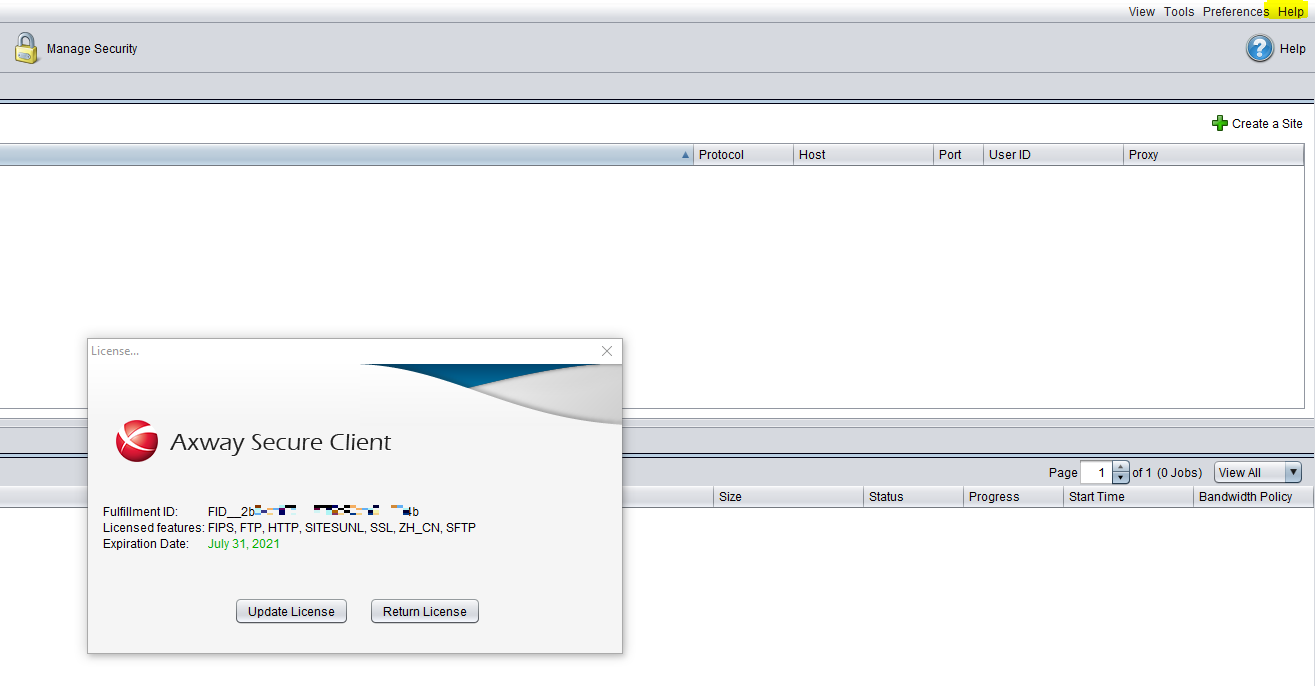
1. Open the Help menu and click License
2. Click ‘Return License’
3. Click ‘Return License’
4. The license (Activation ID) can now be re-used on a new installation
Another approach is to note the Fulfillment IDs which Axway can reset on a later stage.
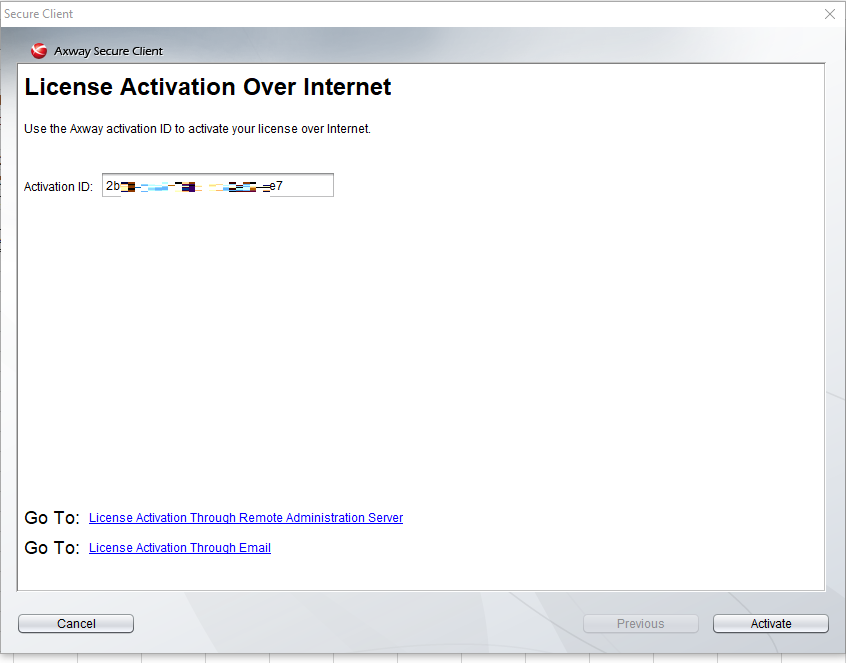
1. “activate” with the Activation ID.
2. Once active, from the Menu bar, select HELP->, License and the pop-up below will appear. The pop-up contains the Fulfillment ID. Based on the FID we can match the corresponding Activation ID or reset that particular FID and a new user can be activated with the same Activation ID.