KB Article #181761
How to configure API Gateway Manager UI login with sAMAccountName using Active directory LDAP Sever ?
Problem
How to configure API Gateway Manager UI login with sAMAccountName using Active directory LDAP Sever ?
Resolution
The official documentation about Authentication and RBAC with Active Directory has complete steps to setup API Gateway Manager UI login with Active directory LDAP Sever
https://docs.axway.com/bundle/axway-open-docs/page/docs/apim_administration/apigtw_admin/general_rbac_ad_ldap/index.htmlIf we have distinguished name for the user in Active directory e.g.
distinguishedName: CN=New User,OU=Employees,DC=myorg,DC=int
Then, after configure we can login with username “New User” which is “CN” . But in active directory, we have another attribute as “sAMAccountName” which is generally used to login on Windows OS or any other application linked with AD LDAP server.
e.g.
sAMAccountName: newuser
This article is based on above official document for all the steps and to configure it to use “sAMAccountName” as login user on API Gateway Manager UI, we need to modify the values as follows. In our sample configuration, we are using following values as set on AD LDAP server.
distinguishedName: CN=New User,OU=Employees,DC=myorg,DC=int
sAMAccountName: newuser
- Modify LDAP repository in Node manager FED as follows.
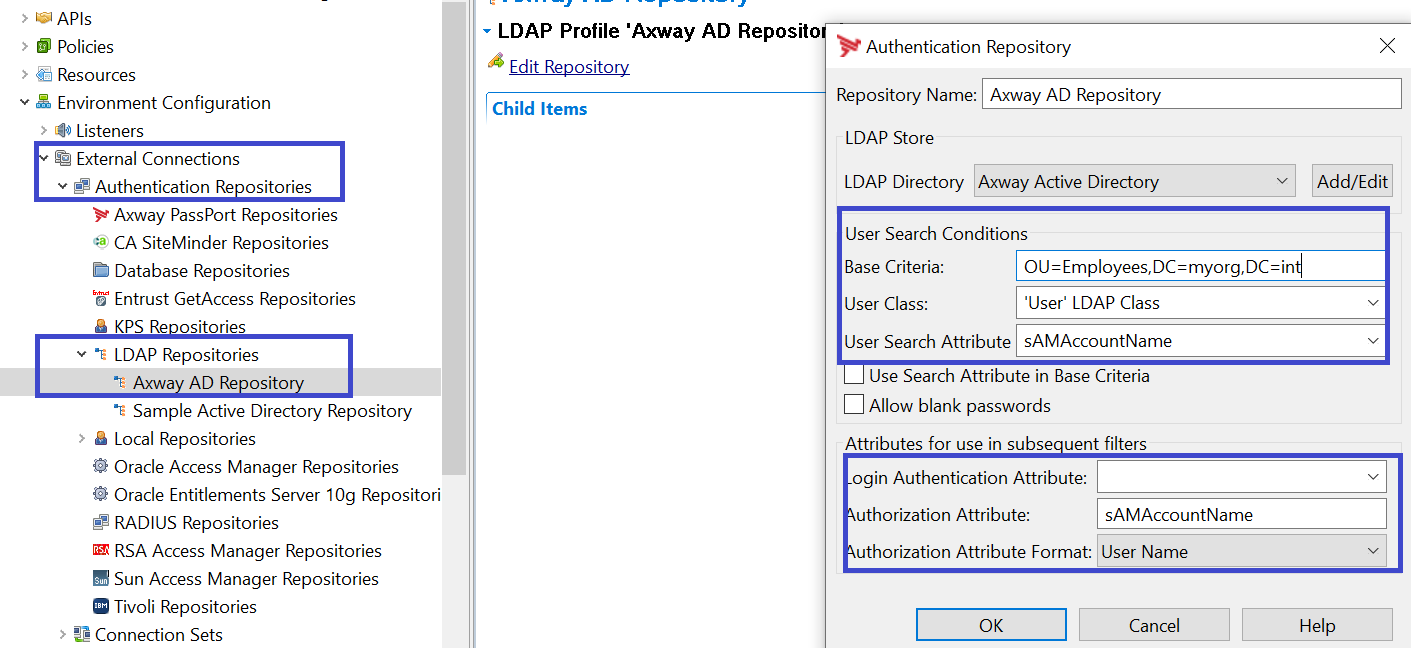
2. In the LDAP sample policy, we need to modify following filters as follows.
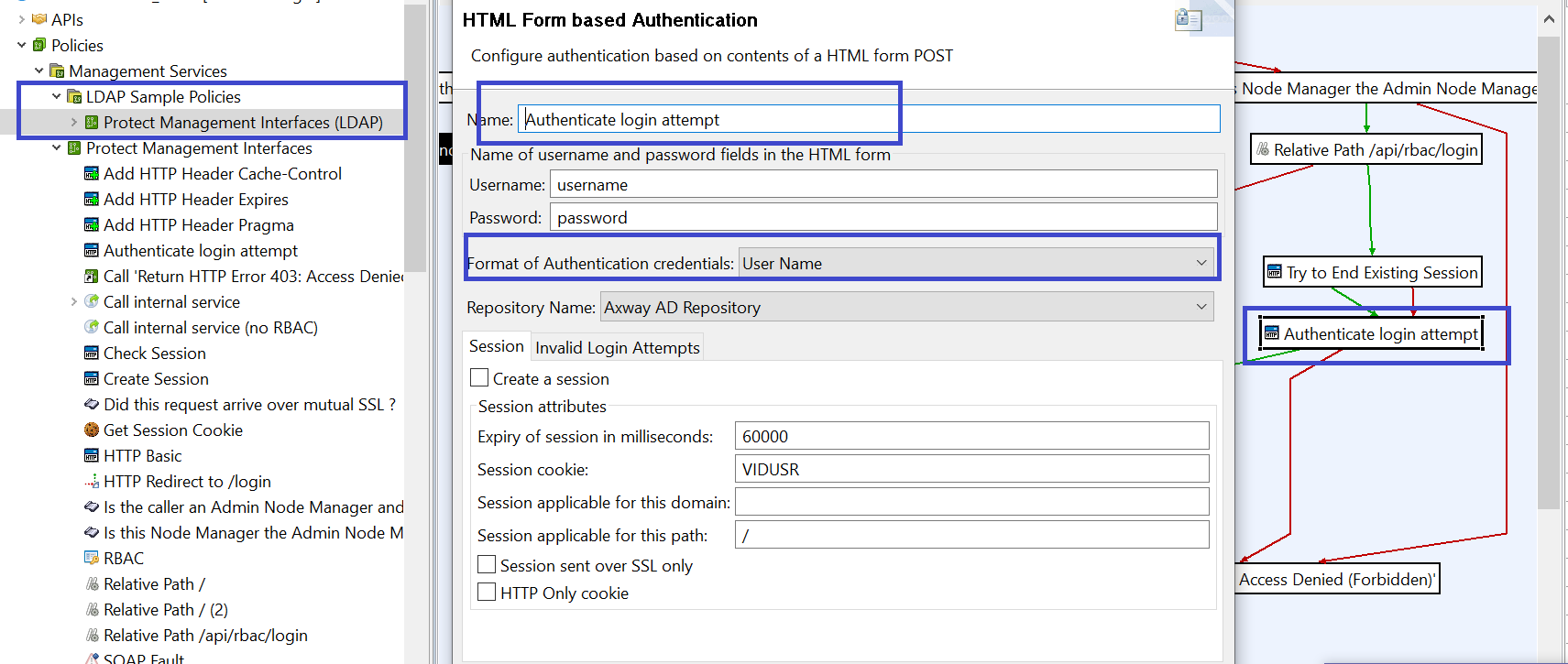
Search Filter :(&(sAMAccountName=${authentication.subject.id})(objectclass=User))
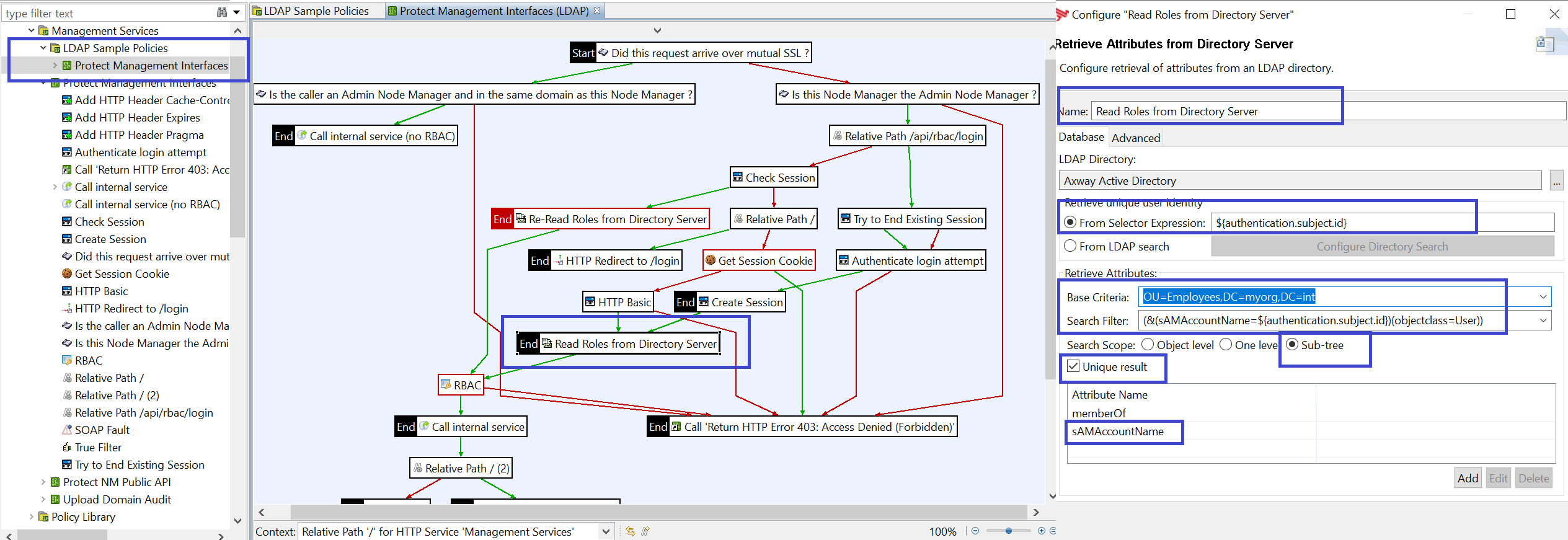
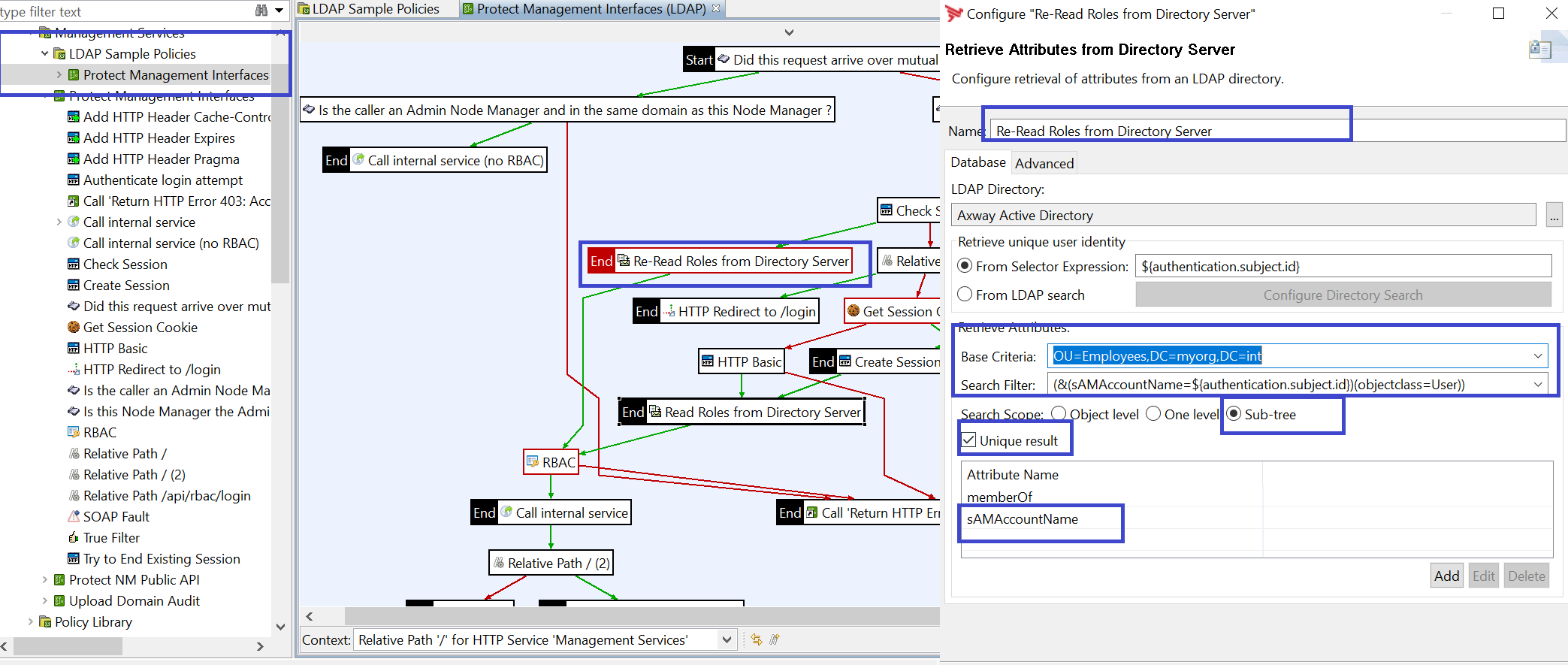
3. Rest of the steps will be as per the document.
4. After this above change, we can login with "sAMAccountName".