KB Article #175858
"The requested action is not available for any of the selected items" in Message Tracking
Problem
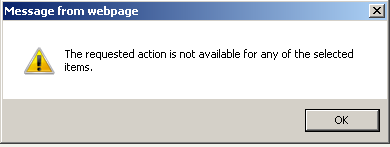
Upon trying to use any of the actions from the drop-down menu of Message Tracking, for some emails the following error is returned: "The requested action is not available for any of the selected items".
Resolution
This behavior is caused by the fact that the sender address contains a forward slash character (/) which prevents any of the actions to be executed over the email in question. Therefore, it cannot be released to user or admin, reprocessed or reclassified as Junk, Bulk or Legit. Still, the end-user UI and the end-user Spam report are able to release such messages and perform the re-classify actions with no trouble.
The issue has been identified as a bug (tracking ID #110409). If you do not have Personal Quarantine Manager (PQM) or end-user Spam reports enabled, the workaround is to contact Axway Support and ask them to login via Remote Support and change the sender email address in the corresponding DB table (depending on whether the email is inbound or outbound), by either removing the forward slash or changing it to something bogus.